A process that is not followed remains a mere diagram. I design processes that users follow.
A process is followed when those who carry it out have contributed to its design, when it corresponds to the work as actually performed, and when the tools that support it make it simpler to follow than to circumvent.
Intake, sign-off and deployment
Every stakeholder is consulted, and every approval is recorded.
Every deliverable rests on the information provided by users. The first stage of each mandate therefore consists in structuring the exchanges with users, and the information they provide, by means of an intake application hosted by the client or on my servers. The application records the answers in forms and makes them available to participants. Forms are completed by users themselves or with my assistance; in the latter case, the form becomes part of the deliverable.
Sign-off follows: the deliverable is submitted to users section by section. Each user signs in, reviews the sections that concern them, then approves or comments on them. A notification informs each user of any form to complete or section to sign off.
The outcome is a reliable audit trail, in which every approval is associated with a name, a date and a version, together with the assurance that every stakeholder has been heard.
The following forms illustrate common intake templates.
User experience
Interfaces designed for users who will not consult a manual.
The users of my software include pharmacists between two patients, lawyers approaching a deadline and clerks at a government counter. They did not choose the tool and will not consult a manual.
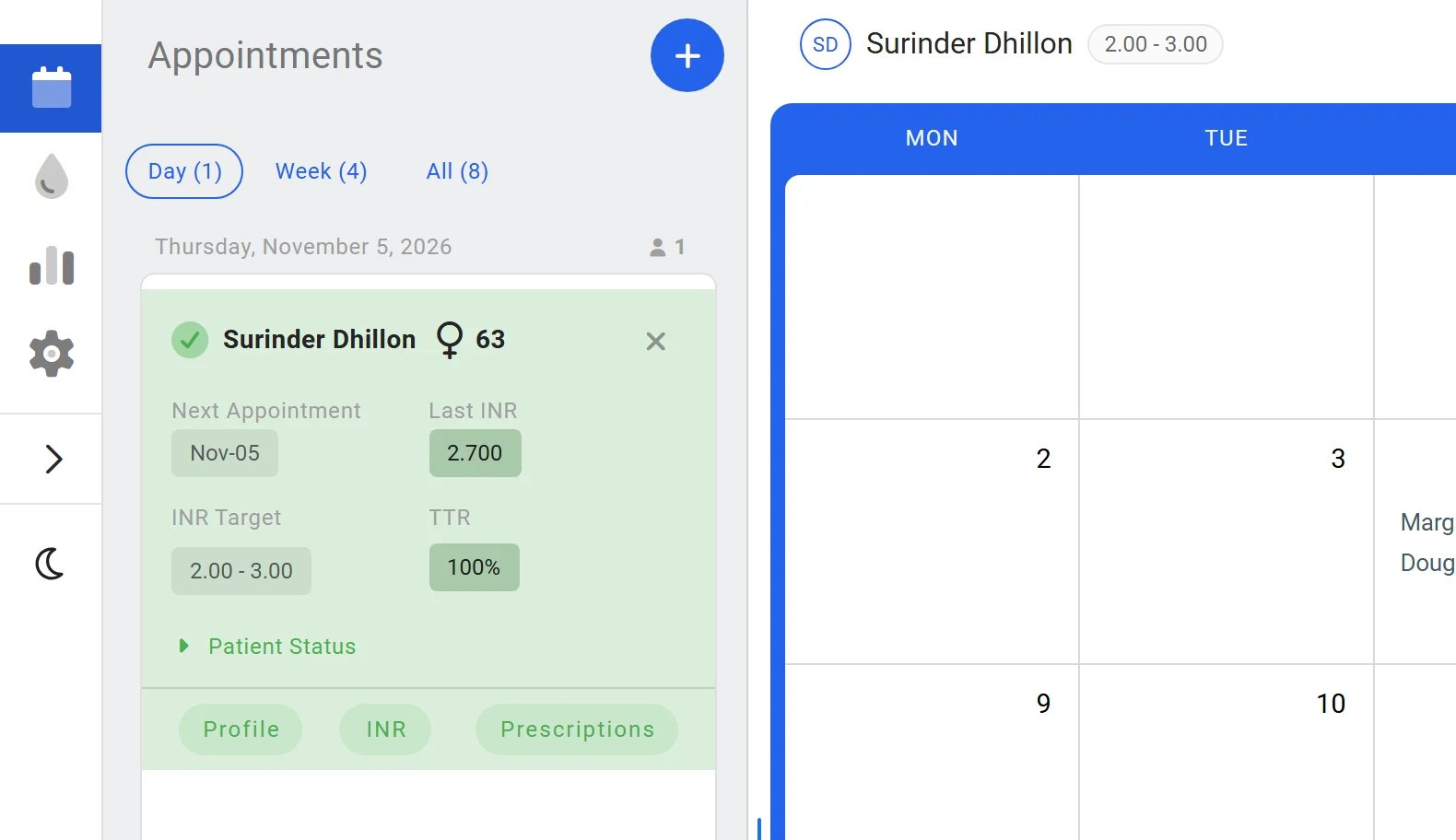
All development requires careful observation of the work and an understanding of the reasoning that accompanies it. A successful interface faithfully reproduces the user’s cognitive process, which is generally simple and sequential. Retroact’s patient card thus presents the last INR, the target range and the time in therapeutic range: the elements a pharmacist checks before any decision.
Workflow and process design
Model the flow before designing the interface.
Rigorous process mapping is a precondition for organisational control and performance. Without mapped processes, neither reliability nor efficiency can be assured.
I have designed administrative processes for fifteen years, notably at the SAAQ, at Nergica, for the RAMQ and the CSST through Groupe CMI, and in the health network of Northern Québec. I hold a Lean Six Sigma green belt. At Nergica, I designed and wrote the project approval process, then developed and deployed NergiHub, the computerised system that enforces it.
Standard process map
The following maps illustrate the kind of modelling I produce. Selecting a step displays its inputs, its outputs and the rule that governs it.
Procurement process, from the expression of need to payment of the invoice. Exceptions modelled: incomplete or unjustified request, insufficient budget, granting of a waiver.
Submit the request
The requester fills in the request and attaches a quote.
- Input
- Item, cost, reason, quote
- Output
- A numbered purchase request
- Rule
- A quote is required above $1,000.
Illustrations: generic processes, distinct from any map produced for a client. Thresholds and time limits are given as examples.
Data analysis and visualisation
Understand the organisation before determining what to measure.
Developing a dashboard begins with an inventory of the objectives to be achieved and an analysis of the metrics in use. It must then be verified that these metrics adequately measure whether the objectives are met. This analysis also determines the type of visualisation adopted and how indicators are grouped by screen.
At the SAAQ, I extracted and analysed registration data (MS-SQL, Insurance Bureau of Canada) and designed the division’s management indicators end to end: metrics, collection system, manual and training. The principal challenge in this field is to produce a simple, universally intelligible visualisation that nonetheless reflects a complex reality. weathr addresses this challenge with a meteorological representation of a group’s mood.
Standard dashboard
Five models are presented, since each dashboard answers the questions of a specific audience: the executive, the supervisor, the controller, the auditor or the process owner. The period and unit filters apply to every figure. Hovering over a chart displays its values, and each chart can be shown as a table.
For the executive: progress against plan, and objectives requiring a decision.
Monthly revenue against target
Revenue by service line
Decisions needed
| Annual objective | Owner | Progress |
|---|---|---|
| Grow recurring revenue by 10% | Finance | 82%On track |
| Reach a satisfaction score of 90 | Client service | 71%To watch |
| Deliver the client portal | Technology | 58%At risk |
| Reduce staff turnover to 8% | Human resources | 34%Off track |
Fictional figures and organisation
Full-stack agentic development
Modular, tested and documented code.
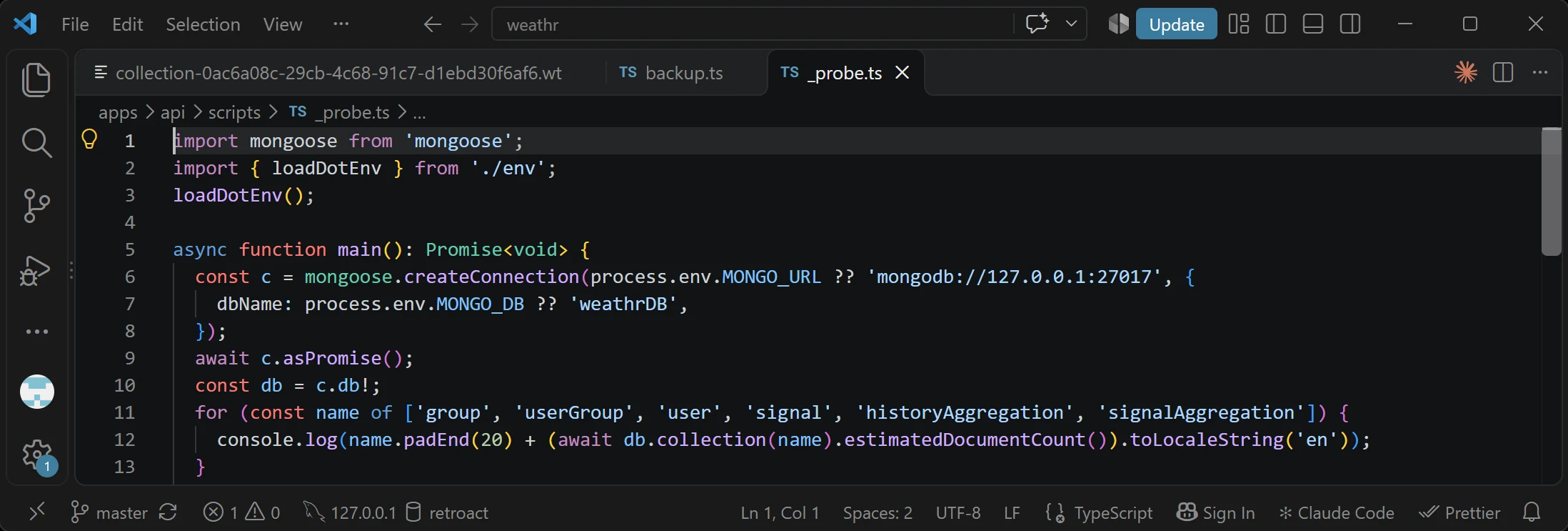
Coding agents are distinguished by their speed and consistency, but also by a confidence that does not waver when they are wrong. Speed of production is therefore not the decisive skill, since generating code is now within everyone’s reach. The skill lies in the set of practices that frame the generation and make the result reliable: a structure that is reused rather than duplicated, documentation the agent consults at every session, tests proportionate to the consequences of an error, regular reviews, and automated checks that block a non-compliant deployment. This section describes each of these practices through examples drawn from the code.
What I deliver
Web applications
promptshield.ca (Next.js) brings together the public website, the customer area, the administration and Stripe payments. The promptShield application runs entirely in the browser: detection, optical character recognition and PDF reading are performed on the user’s machine, and no document is transmitted to a server. The web version of weathr is built from the same source code as its mobile application.
Desktop applications (Tauri and Rust)
The desktop application of promptShield , for Windows and macOS, rests on a Rust shell (Tauri 2) that runs the Python processing engine locally. The publisher of each update is authenticated before installation, licences are signed (Ed25519) and verifiable offline, and secrets are kept in the operating system’s keychain. The installer was also developed in Rust.
Demo videos
Demo videos become outdated as soon as the interface changes, and must be remade for every language and every theme. This problem has been solved: promptShield’s videos are produced from the actual interface and regenerated without any new recording, in nine languages and in light and dark themes.
Read my article on the subject: Why we built our own demo studio
Browser extensions
A single code base produces promptShield’s extensions for Chrome, Edge and Firefox, published in all three stores and available in nine languages. They provide access to the web application, which can also be used on its own.
Microsoft Store apps
promptShield is published there. The MSIX format was deliberately set aside: the file-system virtualisation it imposes would have compromised the language packs, the local registry and the automatic update mechanism. The Store consequently distributes the same signed installer as the website, run in silent mode.
promptShield is available on
Development discipline
- 01
Reusable components
promptShield’s website imports the desktop application’s React components directly, and the demo studio runs this same code. Any change to the interface is thus reflected across all surfaces.
- 02
A typed and accessible interface
Every project is written in TypeScript in strict mode, and the end-to-end tests include an automated accessibility check (axe-core).
- 03
Controlled technical debt
A check rejects any new type error, so that their number can only decrease. Dependency audits block the build, and no version is released without being documented in the changelog.
- 04
Regular code reviews
The code is reviewed periodically, subsystem by subsystem, and each review is assessed. Between reviews, every diff is read, and every commit message states the reason for the change.
- 05
Adequate testing
Coverage and the selection of tests take into account the extent (blast radius) and the intensity (pain) of failures. The tests are recorded in an inventory. Unit tests (Vitest, pytest) verify each function in isolation, and end-to-end tests, written with Playwright, reproduce users’ complete journeys in the browser. Edge case tests also probe behaviour at the limits: empty, extreme or malformed values. No deployment takes place until all of these tests have passed and the set coverage thresholds are met, for instance 95% for weathr’s domain logic.
- 06
Documentation intended for developers and agents
Every project includes a CLAUDE.md file, consulted first by each agent session, that describes the product, the rules and the decisions taken, with their rationale. promptShield’s refers to a log of 203 dated decisions, and weathr’s runs to more than 5,100 lines. The developer documentation also covers operations and release: promptShield’s 55 documents include an incident runbook, a rollback procedure, a pre-release checklist, a secret rotation procedure, the test inventory and a writing guide for six languages. The changelog is updated before every push.
- 07
Internationalisation and transcreation
promptShield is available in nine languages, each rewritten for its readership rather than translated literally: this is the principle of transcreation. Procedures are in place to ensure zero drift between languages.
Read my article on the subject: Why AI translation keeps failing at the thing that matters
Technical stack
- Languages and frameworks
- TypeScript, JavaScript, React, Next.js, Vue.js, Node.js, NestJS; Python, FastAPI; Rust (Tauri); SQL; HTML/CSS; VBA (legacy systems)
- Data
- PostgreSQL, MS-SQL, MySQL, MongoDB, SQLite, Firebase; CSV export and integration, REST APIs documented with OpenAPI
- AI and language processing
- Local transformer models (XLM-RoBERTa, DistilBERT, GLiNER) and spaCy for entity detection, in-browser inference (ONNX Runtime), local LLMs (GGUF) and OpenAI-compatible APIs, Tesseract OCR
- Model training
- LoRA fine-tuning of a local LLM (Qwen3.5-4B) with Unsloth, Hugging Face Transformers and TRL; synthetic training data written and checked by an open teacher model; training on rented GPUs (RunPod); GGUF quantisation, llama.cpp inference
- Agentic development
- Development with LLM coding agents; agentic pipeline design, review and testing of the generated code
- Testing and quality
- By-the-book coding discipline: unit tests (Vitest, pytest), end-to-end tests (Playwright, WebdriverIO) and accessibility tests (axe-core), coverage floors, continuous integration (GitHub Actions)
- Delivery
- Web apps, Tauri desktop apps (Windows, macOS), Microsoft Store, Chrome, Edge and Firefox extensions; Docker, self-hosted APIs, CLI, Python SDK, Git
- Cloud and API providers
- Multiple providers as needed: Google Cloud (Cloud Run, Cloud SQL), Firebase, Cloudflare, Stripe (payments), Anthropic, RunPod and Replicate (GPU compute and model hosting), Resend (transactional email)
- Office
- Advanced Microsoft 365 (Excel, Access, Word, PowerPoint), intranets
In-app documentation
A help file that stays true to the software, and that users can hand to their own AI.
- 01
Reachable from within the application
promptShield’s help can be consulted without leaving the application. Contextual help buttons, placed on the relevant screens, open the corresponding article directly.
- 02
Comprehensive and searchable
It comprises 91 articles in nine languages, and a full-text search covers their entire content.
- 03
Exportable to the user’s own AI
The help can be downloaded as a single Markdown file and given to the AI the user already employs, which then guides them through the process on the basis of the actual documentation rather than by conjecture. A “Where am I?” button also copies the user’s current location in the application, without any of their data, so as to direct the AI to the relevant section.
- 04
Built from the code
The file is generated from the same texts as the interface, and each article has been verified against the code. Procedures are in place to reduce drift between the help and the code.